Deploy a skill
Every skill card has one switch per agent: CC for Claude Code, CX for Codex. A filled switch means the skill is deployed to that agent. With every switch off, the card shows STOWED and the skill stays in the library.
All your agent skills, in one library. Deployed with a single switch.
Keep all your agent skills in one library on your Mac, and choose with one click which agent gets which. Switch a skill on for Claude Code or Codex, and Loadout links it straight into that agent's skills folder. Switch it off, and the link is gone, while the skill stays safe in your library. No copies to keep in sync.
curl -fL -o ~/Downloads/Loadout.dmg https://github.com/twiddr/loadout/releases/latest/download/Loadout.dmg Paste it in Terminal. It downloads Loadout.dmg ().
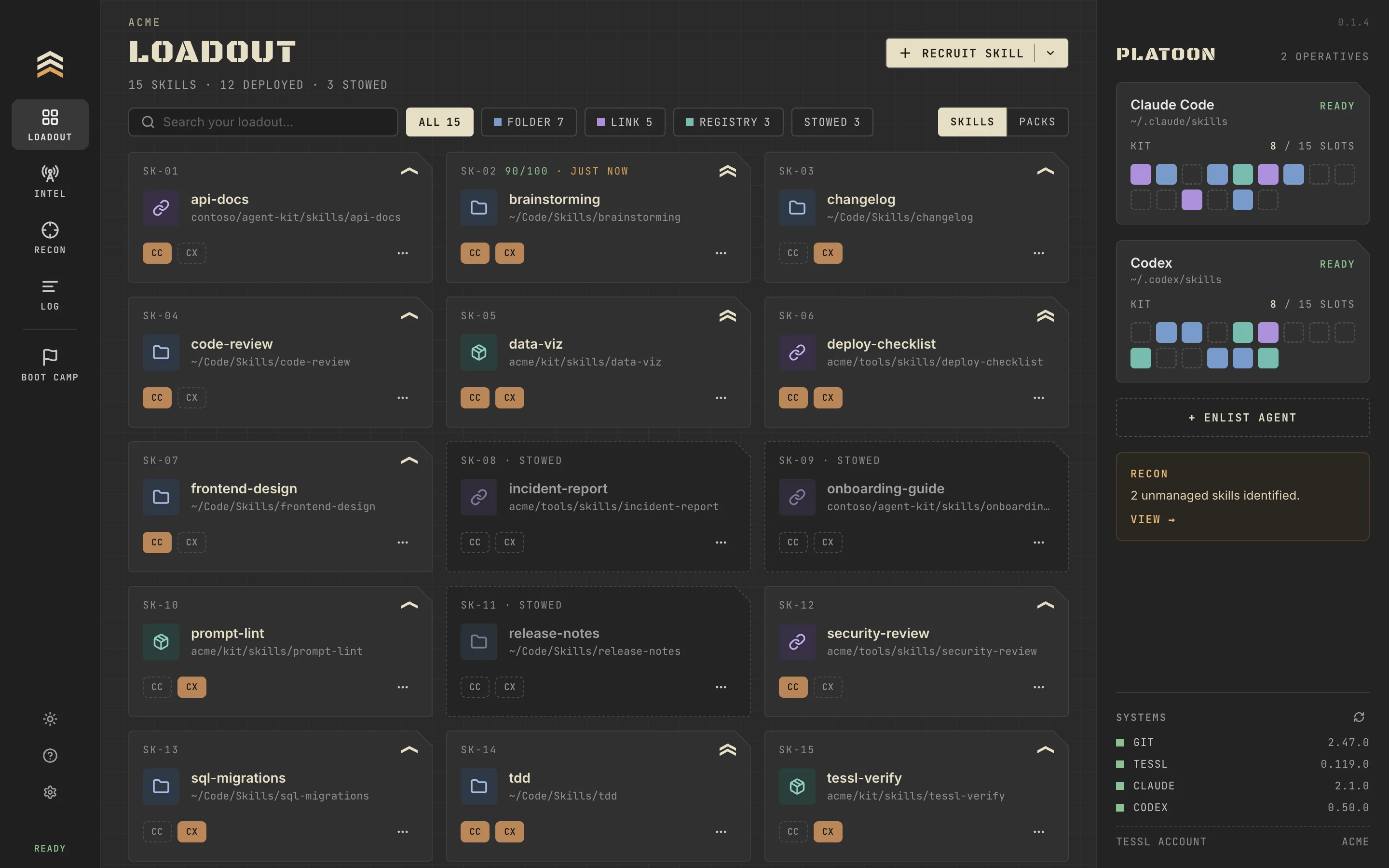
Every skill card has one switch per agent: CC for Claude Code, CX for Codex. A filled switch means the skill is deployed to that agent. With every switch off, the card shows STOWED and the skill stays in the library.
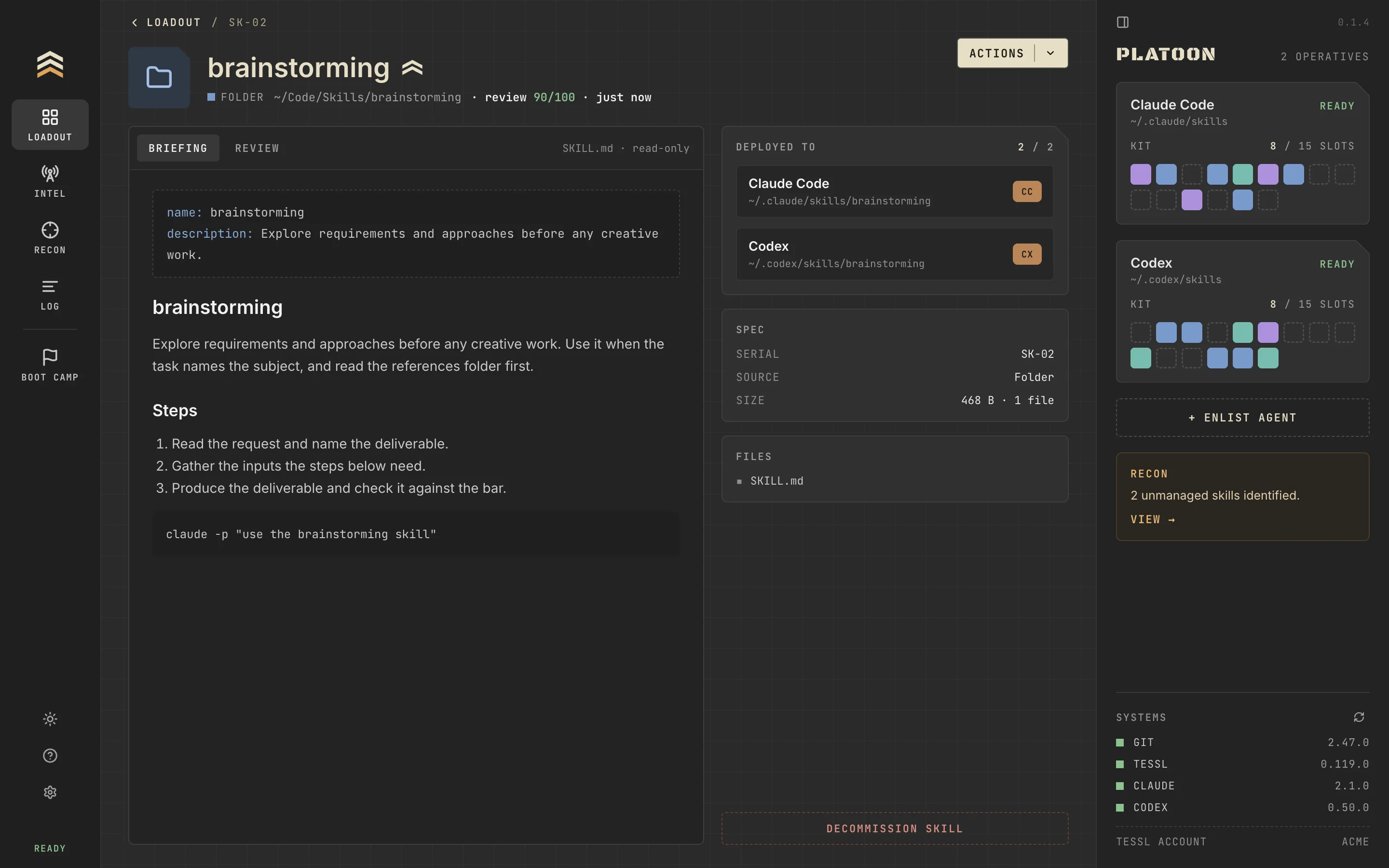
Each skill has its own page: the rendered SKILL.md, the agents it is deployed to, and its Tessl review score. Fix and Publish work on skills from your own folders.
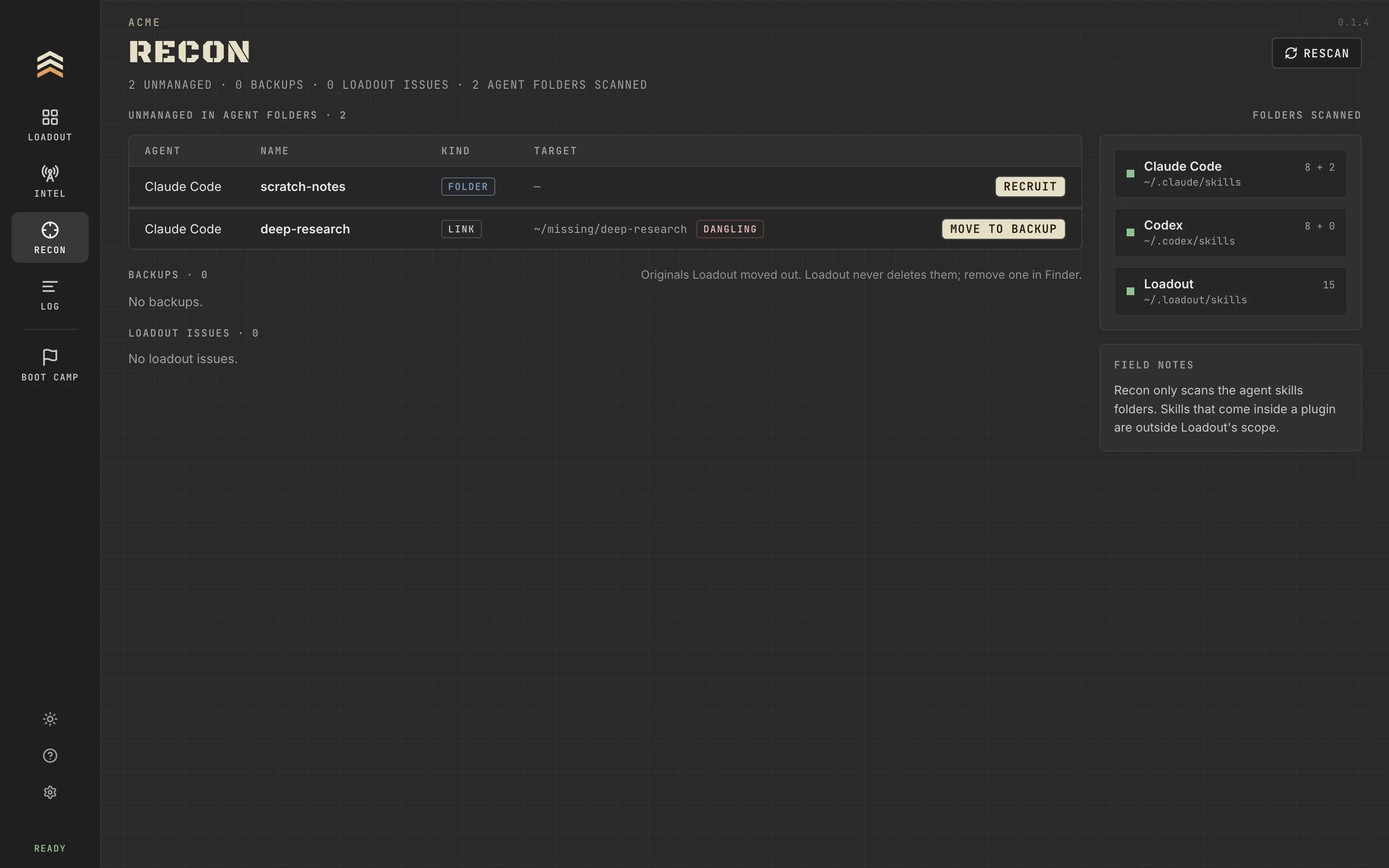
Recon finds the skills that were already in your agent folders before you installed Loadout. RECRUIT brings one of them under Loadout's switches and keeps your original, unchanged, in a backup.


At first launch, BOOT CAMP checks for your agents, git and Tessl. A missing tool shows its install command, with COPY and OPEN TERMINAL.
curl -fL -o ~/Downloads/Loadout.dmg https://github.com/twiddr/loadout/releases/latest/download/Loadout.dmg Loadout.dmg in Downloads and drag Loadout to Applications./Applications.